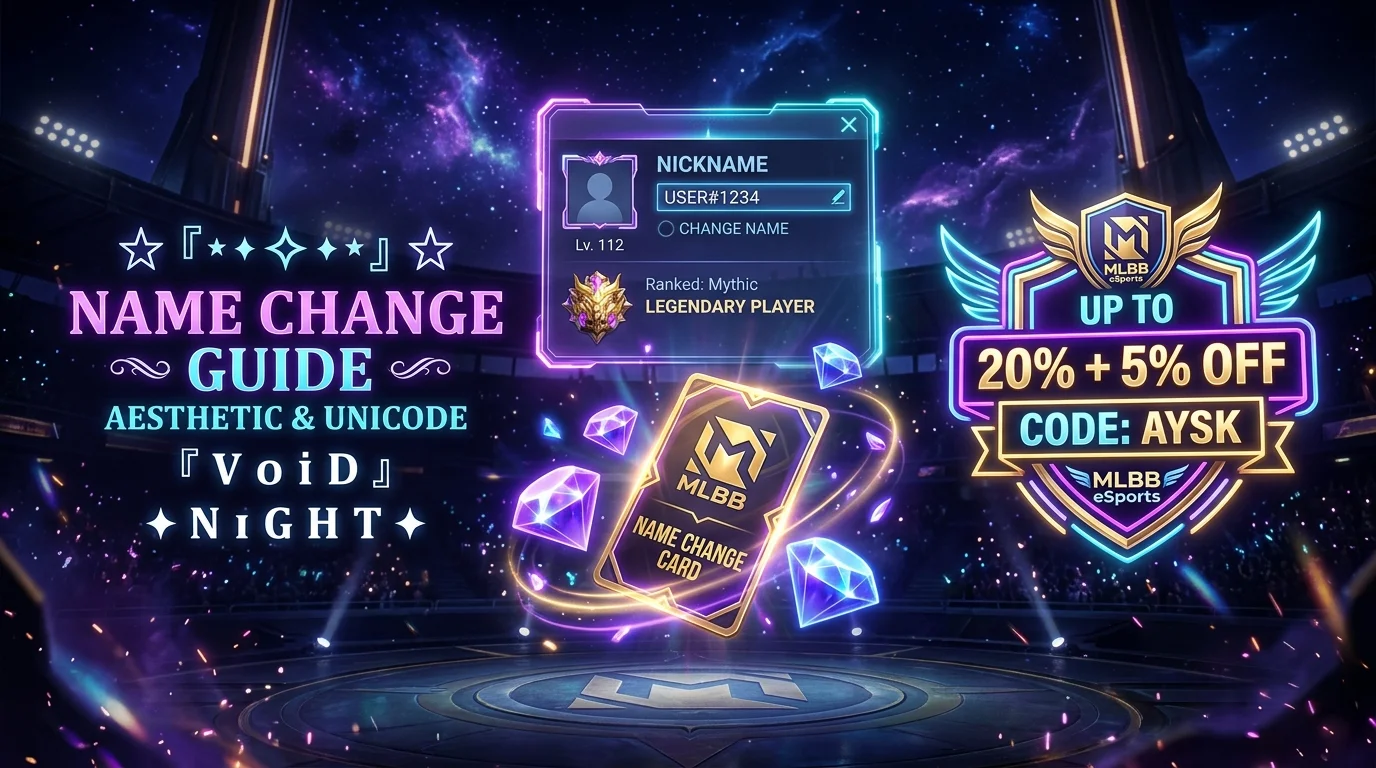
Whether you just joined a competitive squad, switched your main role from Marksman to Assassin, or simply outgrew the default handle you picked years ago, changing your name in Mobile Legends: Bang Bang (MLBB) is one of the quickest ways to refresh your in-game identity.
However, many players get confused once they try to change their name a second time and hit the Name Change Card paywall, or wonder why certain fancy symbols and spaces get rejected in the name field.
In this comprehensive 2026 guide, you will learn:
- How to change your name in Mobile Legends step-by-step
- The exact character limits, cooldowns, and forbidden name rules
- How the first free rename works vs. the 299 Diamonds Name Change Card
- How to get 299 Diamonds at a discount (saving up to 25% with code Aysk on LootBar)
- How to style your name with aesthetic fonts, anime kanji, sweaty brackets, and invisible spaces
[!TIP] Need cool nickname ideas first? Generate stylized IGNs with our interactive Mobile Legends Name Style Generator or browse 70+ Best ML Names to find ready-to-copy tags!
How to Change Your Name in Mobile Legends (Step-by-Step)
Changing your nickname in MLBB takes less than 60 seconds directly inside the game client. You can do it using either of the two methods below.
Method 1: Directly via Your Player Profile (Fastest)
- Launch Mobile Legends and log into your account.
- From the main game lobby, tap your Avatar / Profile Icon in the top-left corner.
- On your profile overview screen, tap directly on your Current Nickname (or the small pencil edit icon next to it).
- A popup window titled “Change Name” will appear on your screen.
- Type or paste your desired new nickname into the input box.
- Tap OK to confirm your new name.
If you have a free rename or an unused Name Change Card in your inventory, your nickname will update immediately across all lobbies, leaderboards, and your friends list.
Method 2: Via Your Inventory (Backpack)
If you already purchased or earned a Name Change Card from an event, you can activate it directly:
- Tap on your Profile Avatar in the top-left corner.
- Select the Inventory / Backpack tab on the left menu.
- Scroll through your items to find the golden Name Change Card icon.
- Tap the card and select “Use”.
- Enter your new aesthetic nickname and tap OK.
Mobile Legends Name Rules & Restrictions
Before spending diamonds or settling on a handle, make sure your proposed name complies with Moonton’s strict formatting system:
| Rule | Specification |
|---|---|
| Character Length | 4 to 16 characters (Note: certain multi-byte Unicode symbols count as 2+ characters) |
| First Rename | 100% Free for every newly registered account |
| Subsequent Renames | Requires 1 Name Change Card (299 Diamonds) |
| Rename Cooldown | 7 days between consecutive name changes |
| Name Uniqueness | Duplicate names are allowed! Unlike games requiring unique #0001 tags, MLBB accounts are uniquely identified by your permanent Account ID & Server Zone ID (e.g., 12345678 (1234)). |
| Profanity Filter | Offensive language, slurs, political hate speech, and sensitive terms are blocked automatically or replaced with asterisks (***). |
Pro-Tip on Cooldowns: If you change your name and realize you made a typo or picked the wrong font, you must wait a full 7-day cooldown before the system will allow another Name Change Card to be consumed. Double-check your spelling before hitting OK!
Free Rename vs. The 299 Diamonds Name Change Card
Every player receives one free name change upon creating a new Mobile Legends account. When you use this initial freebie, the confirmation button clearly displays “Free”.
Once that first change has been redeemed, however, any further attempt to rename will display a prompt requiring a Name Change Card.
How Much Does a Name Change Card Cost?
- Standard In-Game Price: 299 Diamonds (~$5.99 USD / ₱300+ PHP / Rp 90,000+ IDR).
- Where to Find It in Game: Open Shop ➔ Tap the Special tab ➔ Select Items ➔ Scroll down to the Name Change Card.
While Moonton occasionally offers Name Change Cards in seasonal comeback chests or special milestone web events, those events are rare. For 95% of active players, buying the card with 299 Diamonds is the only way to rename.
How to Get 299 Diamonds for Your Name Change at a Discount
If you buy 299 diamonds directly inside the Google Play Store or Apple App Store, you pay full price because mobile app stores impose a 30% platform fee on all in-app purchases.
To avoid overpaying, experienced gamers use authorized direct top-up platforms like LootBar, an official top-up partner that delivers diamonds directly to your MLBB Account ID at wholesale web rates.
Why Top Up Diamonds via LootBar?
- Up to 20% Cheaper: Web-based pricing bypasses Google and Apple store surcharges.
- Extra 5% Discount: Use exclusive promo code
Ayskduring checkout. - 100% Safe & Ban-Free: Diamonds are processed through official Moonton API channels. No account password or login is ever required — you only provide your public User ID and Zone ID.
- Instant 3-Minute Delivery: Diamonds arrive directly in your in-game balance within 3 minutes of payment.
- Local Payment Methods: Pay conveniently via GCash, Maya, ShopeePay, DANA, PayPal, and credit/debit cards.
- Top Trust Rating: Verified 4.9 / 5.0 score on Trustpilot with thousands of player reviews.
Quick Guide: How to Buy 299 Diamonds with Code Aysk
- Go to the LootBar MLBB Top-Up Page.
- Enter your Mobile Legends User ID and Zone ID (found on your in-game profile page below your avatar, e.g.,
12345678 (2105)). - Select your diamond package (choose the bundle covering 299 diamonds).
- Enter promo code
Ayskto apply your extra 5% discount. - Select your preferred payment method (GCash, Maya, Card, or PayPal) and complete checkout.
- Open Mobile Legends — your diamonds will be waiting in your balance. Head to Shop ➔ Special ➔ Items and grab your Name Change Card!
Where to Get Aesthetic Name Ideas, Fonts & Cool Symbols
A plain username like player123 gets forgotten fast. If you are investing diamonds into a rename, make sure your new tag turns heads in loading screens and victory MVP showcases!
Here on Aesthetic Name, you have free access to instant tools designed specifically for mobile gamers:
- Mobile Legends Name Style Generator: Generate 30+ instant ML-compatible fonts (Gothic, cursive script, small caps, fullwidth) with live preview and one-click copy.
- Mobile Legends 70+ Ready Names List: Browse our curated collection of copy-paste gamer tags organized by aesthetic style.
- Aesthetic Font Generator: Convert standard letters into cursive script (
𝓝𝓪𝓶𝓮), gothic bold (𝕹𝖆𝖒𝖊), small caps (ɴᴀᴍᴇ), and cyber Y2K styles (N Λ M E). - Brackets & Border Symbols: Copy ornate wing brackets like
꧁ ꧂and༺ ༻. - All Gaming Symbols & Stars: Access crowns, stars, sparkles, and swords.
Popular Aesthetic MLBB Name Styles to Copy & Paste
1. Sweaty Wing Brackets (Pro Tournament Vibe)
꧁ঔৣ☬✞V o i D✞☬ঔৣ꧂
༺Leͥgeͣnͫd༻
꧁༒☬KING☬༒꧂
『帝』•K I L L E R
꧁H U N T E R꧂
2. Anime & Japanese Kanji Symbols
【神】• S H I N •
『死神』R e a p e r
ʏᴜᴋɪ ❄️
Akira • 帝
【影】S h a d o w
3. Clan Crowns & Dark Gothic
👑𝓚𝓲𝓷𝓰👑
✝ V o i d ✝
⚔️ R E A P E R ⚔️
† S O U L †
༺V E N O M༻
The “Invisible Space” Trick in MLBB Names
Have you ever seen top players with spaced-out names like V O I D, but when you try typing normal spaces, Mobile Legends deletes them?
That is because MLBB trims regular spacebar spaces (U+0020). To create wide, aesthetic spacing between your letters, copy and paste the Hangul Filler Invisible Space (U+3164) between each letter:
Copy Invisible Character:
ㅤ(copy the blank space between these brackets)
Example with invisible spaces:
VㅤOㅤIㅤD
SㅤHㅤAㅤDㅤOㅤW
Can You Make a Colored Name in Mobile Legends?
Many players search for ways to make their name glow red, blue, or gold. In Mobile Legends, color formatting uses standard 6-digit HEX color codes placed inside square brackets directly before your text:
[HEX_CODE]YourName
[HEX_CODE][b]YourName (for Bold text)
Popular Color Tags:
- Red:
[FF0000] - Neon Green:
[00FF00] - Electric Blue:
[0000FF] - Gold / Yellow:
[FFD700] - Purple / Violet:
[9900FF] - Cyan:
[00FFFF]
Important Warnings About Color Tags:
- Character Count: The code
[FF0000]consumes 8 characters of your 16-character limit, leaving you only 8 characters for your actual nickname! - Username Restrictions: While color tags work 100% reliably in your Player Bio / Status, Moonton periodically restricts HEX brackets in primary active nicknames on certain server regions to prevent UI clipping in scoreboards. Test carefully before using a Name Change Card!
Frequently Asked Questions (FAQ)
Can I change my MLBB name for free?
Yes, every newly created Mobile Legends account receives one free name change. After you have used your free rename, all subsequent name changes require a Name Change Card which costs 299 Diamonds.
How often can I change my name in Mobile Legends?
There is a mandatory 7-day cooldown between name changes. Once you consume a Name Change Card, you cannot change your name again until 7 full days have passed.
Does changing my name reset my rank, win rate, or skins?
No! Changing your nickname only alters your public display name. Your heroes, skins, diamond balance, win rate, star protection, and seasonal rank (Warrior up to Mythical Immortal) remain completely untouched.
Can two players have the exact same name in MLBB?
Yes! Mobile Legends allows duplicate usernames because accounts are identified by a unique backend Account ID and Server Zone ID (found on your profile screen, e.g., 12345678 (2105)). If a cool name you want is already taken, you can still use it.
What happens if I use forbidden characters?
If your proposed name contains illegal symbols or banned profanity words, the game will display an error message such as “Name contains invalid characters” or “Name contains sensitive words”. Your Name Change Card will not be consumed if the change is rejected.
Final Checklist Before You Rename
- Test your character count: Keep your text between 4 and 16 characters.
- Pick your fonts and symbols: Generate aesthetic lettering using our dedicated Mobile Legends Name Style Tool, pick from our 70+ Mobile Legends Names list, or try the universal Font Generator.
- Get your Name Change Card: If you have already used your free rename, head over to LootBar, top up 299 Diamonds with promo code
Ayskfor maximum savings, and grab your card from the in-game shop! - Confirm your new handle: Double-check spelling before tapping OK to avoid the 7-day cooldown!